Advertising Disclosure

Skin Research Institute has a financial connection to products sold via links on our website such as our top choices.


Zircon Multiscanner A250 Review: Is It Worth Buying in 2026?

Zircon Multiscanner A250 Review

Before you drill a single hole into your wall, you need to know what’s hiding behind it. A misplaced drill bit can hit a live wire, puncture a pipe, or miss the stud entirely — turning a simple hanging job into an expensive repair. That’s exactly the problem a tool like the Zircon MultiScanner A250 promises to solve.

The A250 markets itself as an all-in-one wall scanner — one tool that finds studs, detects metal, and flags live electrical wiring before you ever pick up a drill. It’s one of the top picks we tested in our roundup of the best stud finders in 2026, and on paper it checks a lot of boxes: four scanning modes, ACT™ auto-correcting technology, a SpotLite® pointer, and a mid-range price that won’t break the bank. But does it actually deliver when it matters?

This Zircon MultiScanner A250 review puts it through a hands-on wall test using real materials — copper pipe, gas line, live wiring, and more — to see how it performs beyond the spec sheet. Here’s everything you need to know before buying.
 

⭐ Quick Verdict

The Zircon MultiScanner A250 is a reliable mid-range wall scanner that works well for everyday stud detection and general DIY tasks. The four scan modes, ACT™ auto-correction, and SpotLite® pointer make it easy to use and accurate enough for most standard wall jobs. However, our testing revealed some concerning gaps particularly its failure to detect a live power cord and inconsistent metal detection performance. It’s a solid everyday tool, but not one you should rely on solely for safety-critical scanning.

Best for: DIYers and general contractors working with standard drywall

Not ideal for: Anyone who depends heavily on live wire detection as a safety measure

Verdict: Worth buying for general use with caution on AC detection


Zircon Multiscanner A250 Review: Key Features & Specification

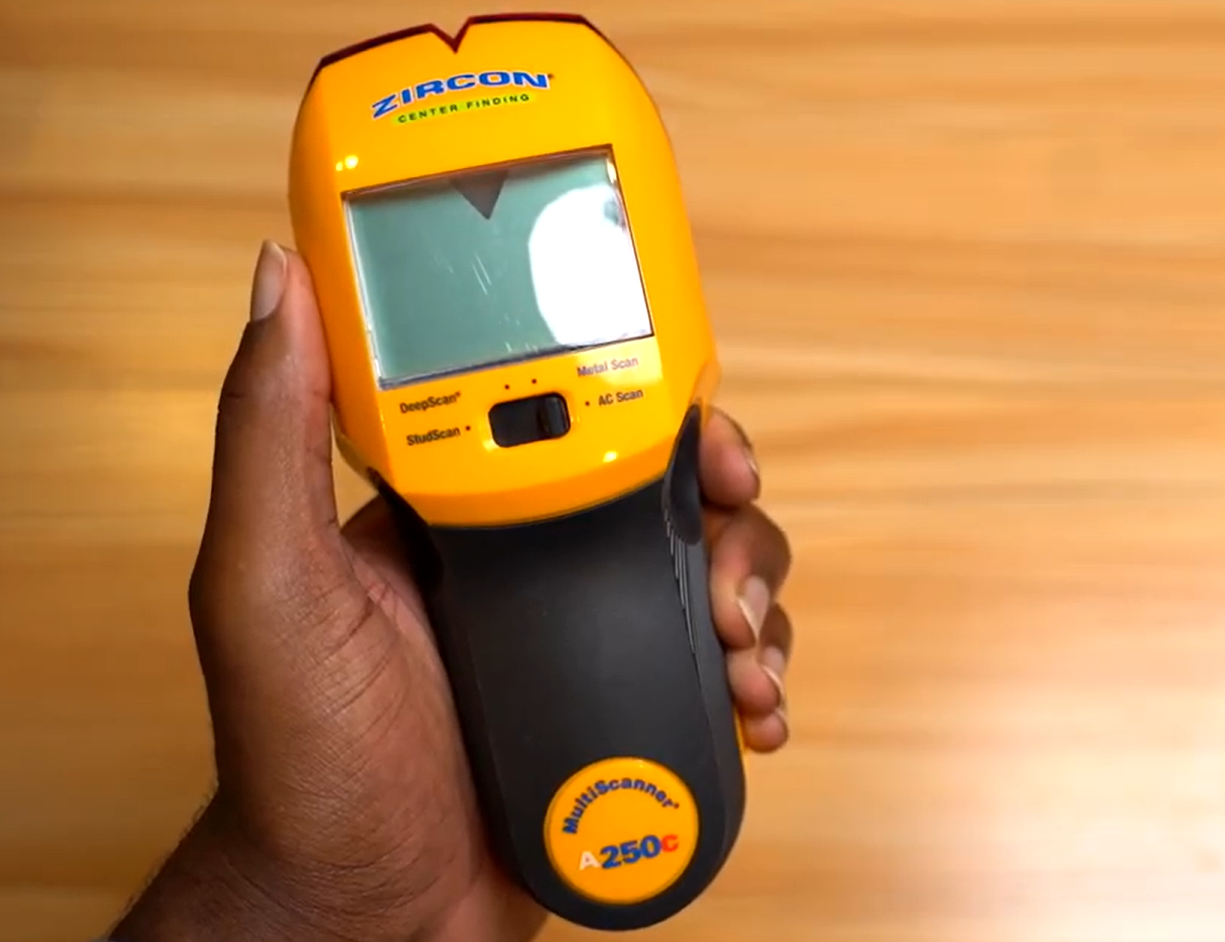
Zircon Multiscanner A250 stud detector

The Zircon MultiScanner A250 is an all-in-one handheld wall scanner that locates wood and metal studs, detects ferrous and non-ferrous metals, and identifies live AC wiring — all in one tool. Built for both DIYers and contractors, it features four scanning modes, a SpotLite pointer, and Auto Correcting Technology (ACT) to take the guesswork out of drilling, mounting, and renovation work.

 Key Features

4 Scanning Modes

Comes with four distinct modes — StudScan, DeepScan, Metal Scan, and AC Scan — covering everything from basic stud detection to live wire identification in a single tool.

StudScan & DeepScan Modes

StudScan detects the edges and center of wood and metal studs at depths up to ¾ in. (19 mm). Switch to DeepScan when you need to go deeper, reaching targets up to 1½ in. (38 mm) — useful for thicker drywall or plaster walls.

Metal Scan Mode

Detects both non-ferrous metal objects like copper pipe up to 1½ in. (38 mm) deep and ferrous metals like steel rebar up to 3 in. (75 mm) deep, making it useful beyond standard stud walls.

AC Scan Mode with WireWarning Detection

A dedicated AC Scan Mode maps and traces live unshielded wiring up to 2 in. (50 mm) deep. WireWarning Detection also runs passively in the background during StudScan, DeepScan, and Metal Scan modes, alerting you if live wires are present while you scan.

ACT™ (Auto Correcting Technology)

Automatically recalibrates the scanner during use and corrects common scanning mistakes — including the frequent error of placing the tool directly over a stud at the start of a scan.

SpotLite® Pointer

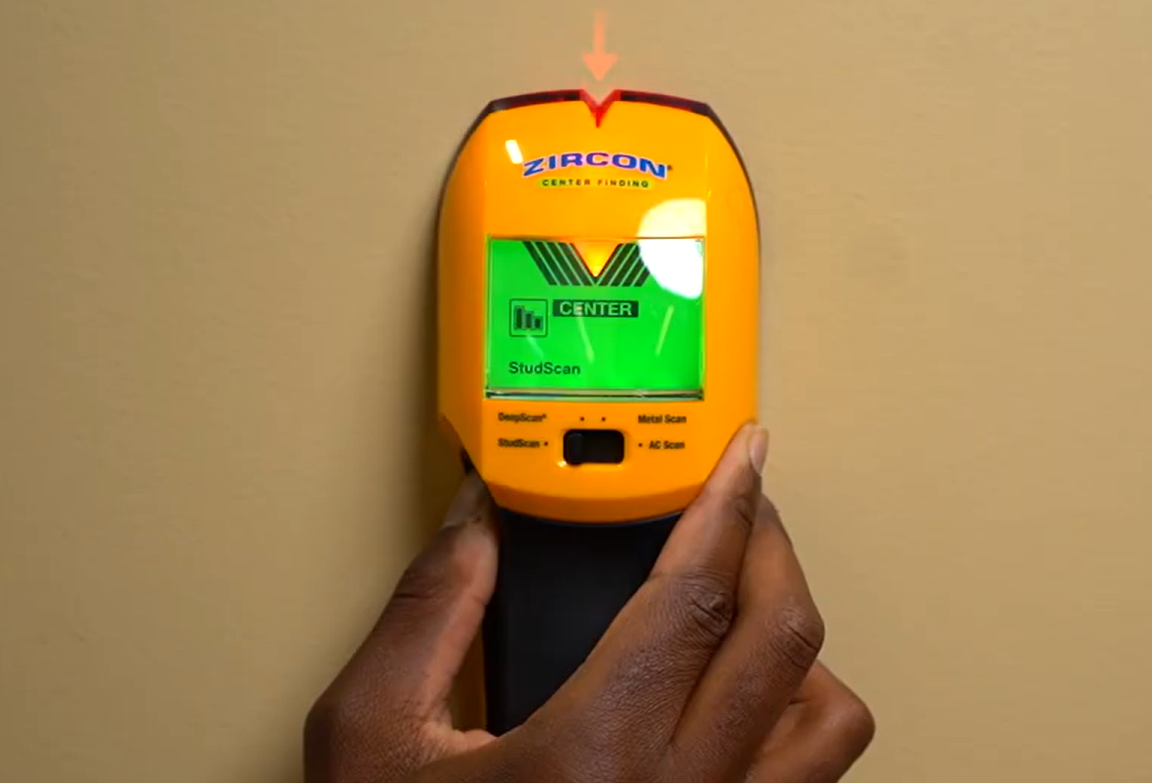
A built-in light projects directly onto the wall surface to pinpoint the stud’s center with precision. Paired with an audio beep, it removes any guesswork when marking your drilling spot.

Signal Strength Indicator

Displays how strong the detected signal is, helping you gauge whether a target is close to the surface or sitting deeper behind the wall.

Backlit LCD Display

The bright, backlit screen keeps readings visible in dim or poorly lit work areas, showing detection mode, signal data, and live wire alerts at a glance.

Ergonomic Rubber Grip

Built with a contoured rubber grip that fits comfortably in any hand size and stays secure at any scanning angle — reducing fatigue during extended use.

Low Battery Indicator

Notifies you when the battery needs replacing so performance doesn’t drop mid-scan. Powered by one 9V alkaline battery (not included).

Specifications

Brand Zircon
Model MultiScanner A250
Item Model Number 72299
Color Yellow
Material Plastic
Item Weight 8 oz (227 g)
Product Dimensions 7.72"L x 1.80"W x 3.23"H
Display Backlit LCD
Power Source Battery-powered
Battery Required 1 × 9V alkaline (not included)
Number of Scan Modes 4 (StudScan, DeepScan, Metal Scan, AC Scan)
StudScan Depth Up to ¾ in. (19 mm)
DeepScan Depth Up to 1½ in. (38 mm)
Metal Scan Depth – Non-Ferrous Up to 1½ in. (38 mm)
Metal Scan Depth – Ferrous Up to 3 in. (75 mm)
AC Wire Detection Depth Up to 2 in. (50 mm)
Water/Dust Resistance IP54
Key Technologies ACT™, SpotLite® Pointer, WireWarning® Detection
Compatible Surfaces Drywall, plywood sheathing, subfloor, gypsum board, wood flooring
Warranty Limited Lifetime


How We Tested the Zircon Multiscanner A250
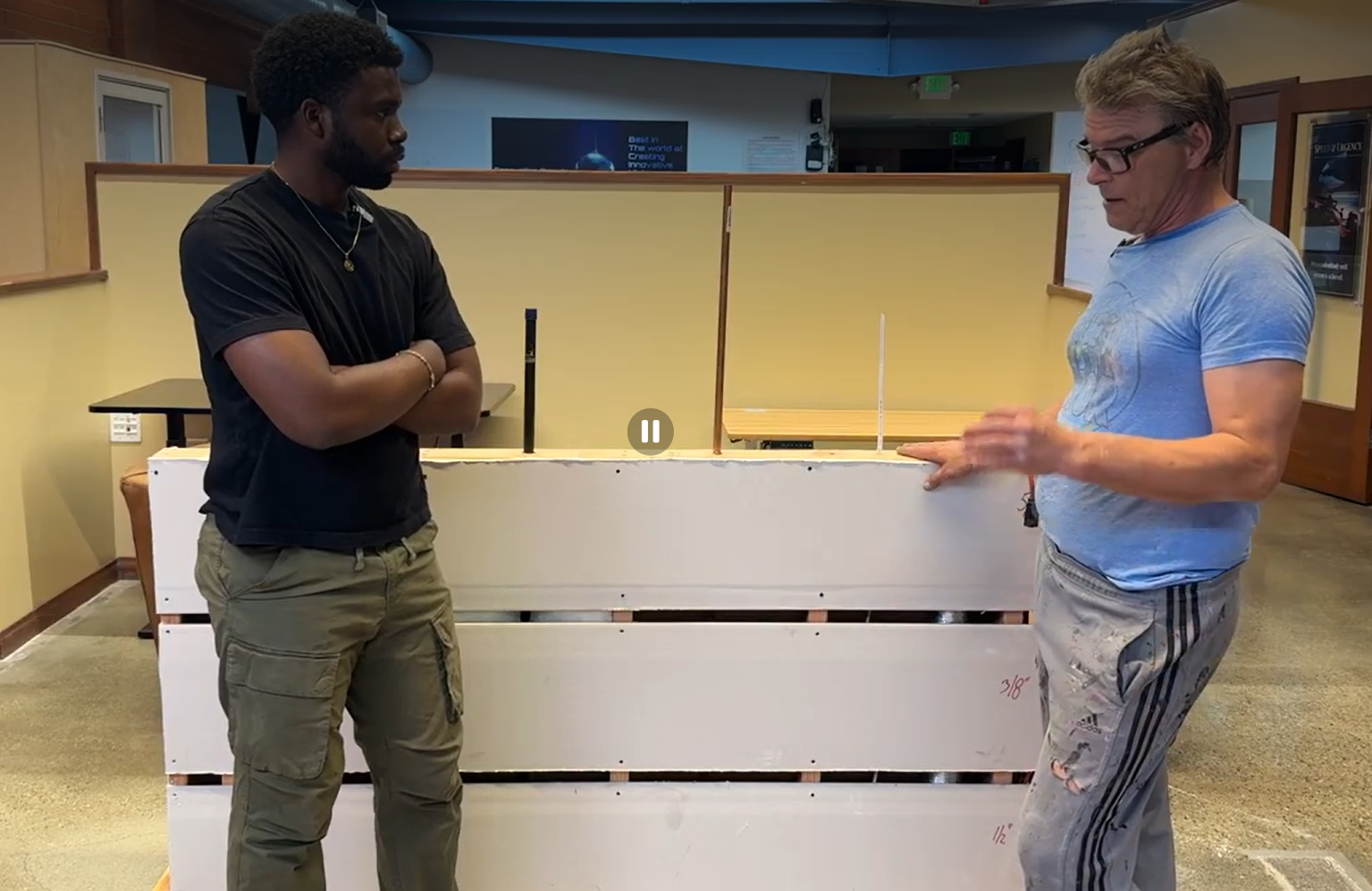
handyman showing how the mock wall was builty

Testing Setup

To put the Zircon Multiscanner A250 through its paces, we didn’t just run it along a random wall and call it a day. Our handyman built a dedicated mock wall from scratch, designed to mirror what you’d actually encounter inside a typical home.

We used three different drywall thicknesses across the wall to see how the scanner holds up at varying depths:

  • Bottom section — ½ inch drywall

  • Middle section — ⅜ inch drywall

  • Top section — ⅝ inch drywall

What Was Hidden Behind the Wall

The real challenge wasn’t the drywall. It was what we put behind it. We embedded a mix of materials that commonly run through residential walls, including:

  • Live electrical wiring — an extension cord plugged into an active outlet to replicate real wiring conditions

  • Standard wiring

  • Copper pipe

  • Gas line

  • Sewer pipe

  • Duct tape along the top section

What We Were Testing For

Accuracy was our top priority. As our handyman put it, “The number one feature of a great stud finder is accuracy.” Whether you’re a pro or a DIYer, reliable detection is essential before drilling or mounting anything.


Performance Test Results

Accuracy Test — Finding Wood Studs

Zircon wood stud finder

Observation

We switched the Zircon to Metal Scan mode and ran it slowly across the section of the wall where the copper pipe was positioned behind the drywall.

Result

The scanner failed to detect the copper pipe. It did pick up the nails embedded in the wall, but returned no reading for the copper pipe itself.

Takeaway

Metal Scan mode showed limited capability when it came to non-ferrous metal detection. While it registered nail heads without issue, it missed the copper pipe entirely — a notable gap for a tool that lists metal detection as one of its core functions.

Metal Detection — Copper Pipe
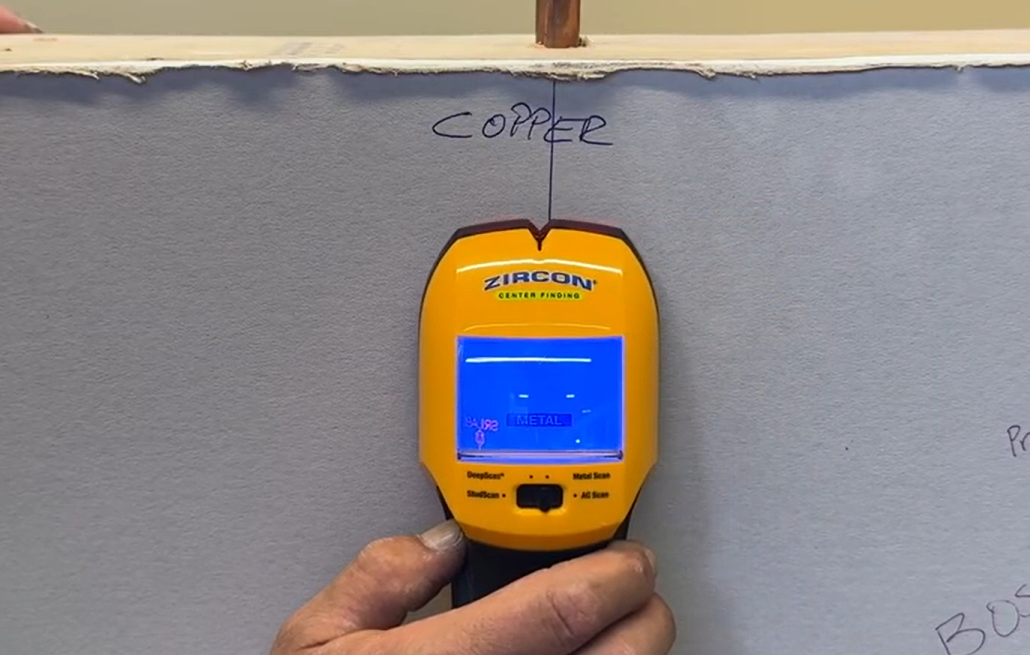
Zircon metal detector mode

Observation

We kept the Zircon in Metal Scan mode and moved it across the section of the wall where the gas line was located behind the drywall.

Result

The scanner did not detect the gas line at all. No signal, no alert, no response from the tool.

Takeaway

The Zircon returned a complete miss on the gas line in Metal Scan mode. For anyone working near gas infrastructure, this is a serious concern — missing a gas line behind a wall is not just an accuracy issue, it’s a safety one.

Gas Line Detection

Zircon metal detector mode

Observation

We ran the Zircon across the section of the wall where the gas line was positioned behind the drywall.

Result

The scanner successfully detected the gas line. It identified the center location, placing it slightly to the left of the actual center, but remained close enough to be considered a reliable reading.

Takeaway

Unlike the previous test where the gas line went completely undetected, this run produced a positive result. The slight offset in center detection is a minor variance in a real-world scenario, that margin is still accurate enough to help you avoid drilling into it.

Electrical Wire (No Power)
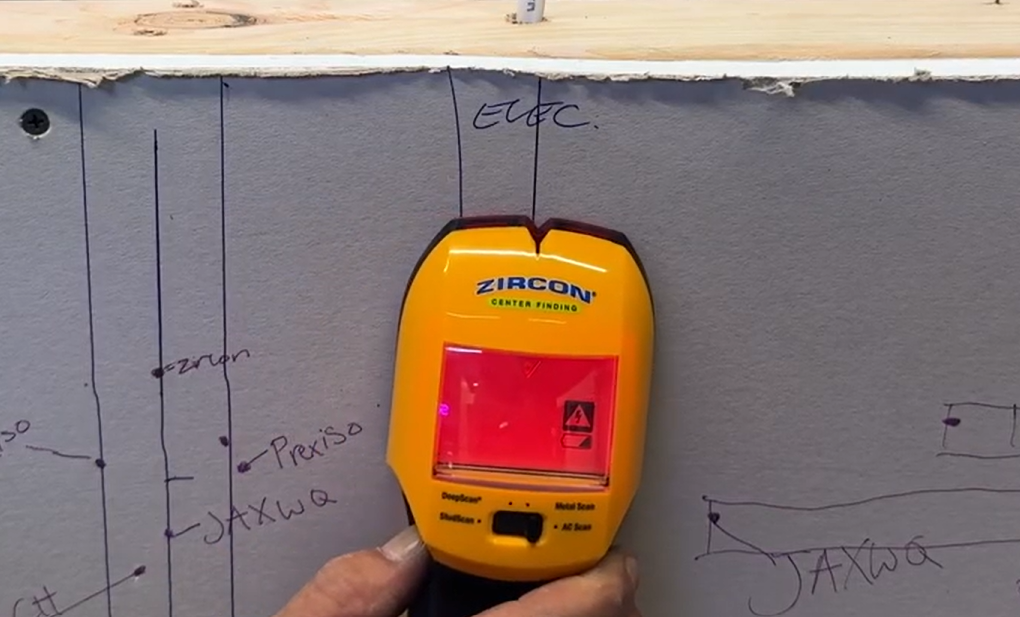
electrical wire detection

Observation

We ran the Zircon across the section of the wall where the unpowered electrical wire was positioned behind the drywall.

Result

The scanner returned no reading. Nothing was detected.

Takeaway

This is an expected outcome worth noting. Most stud finders, including the Zircon, rely on live electrical current to detect wiring. A wire with no power running through it produces no electrical field, which means there is nothing for the AC detection to pick up. This is not necessarily a flaw, but something every user should be aware of before scanning.

Ducting Hose Detection
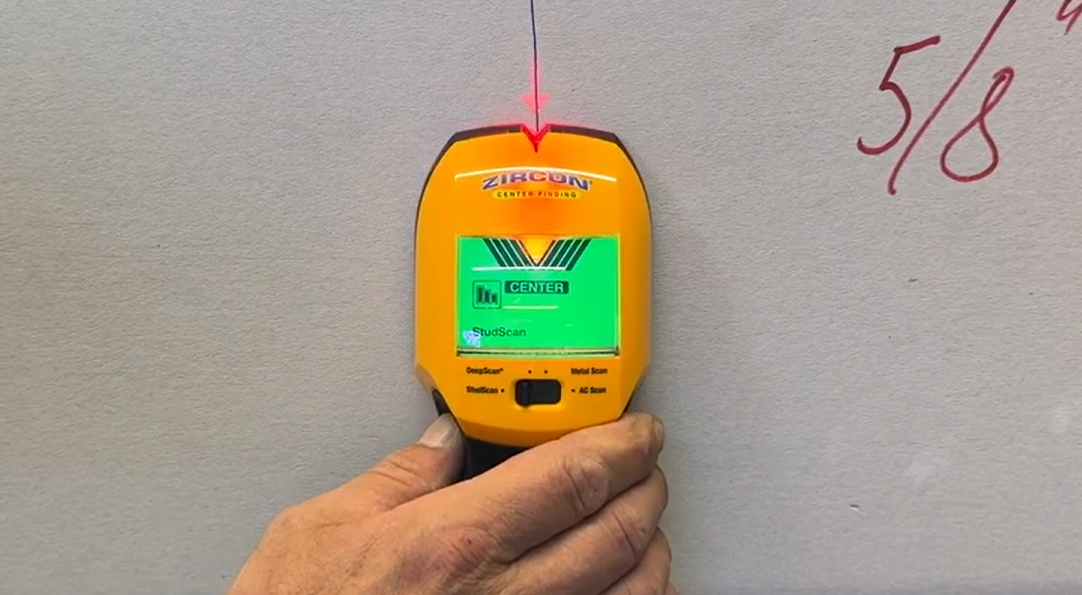
Zircon multiscanner detecting ducting hose

Observation

We slowly slid the Zircon across the top section of the wall where the duct tape was placed behind the drywall.

Result

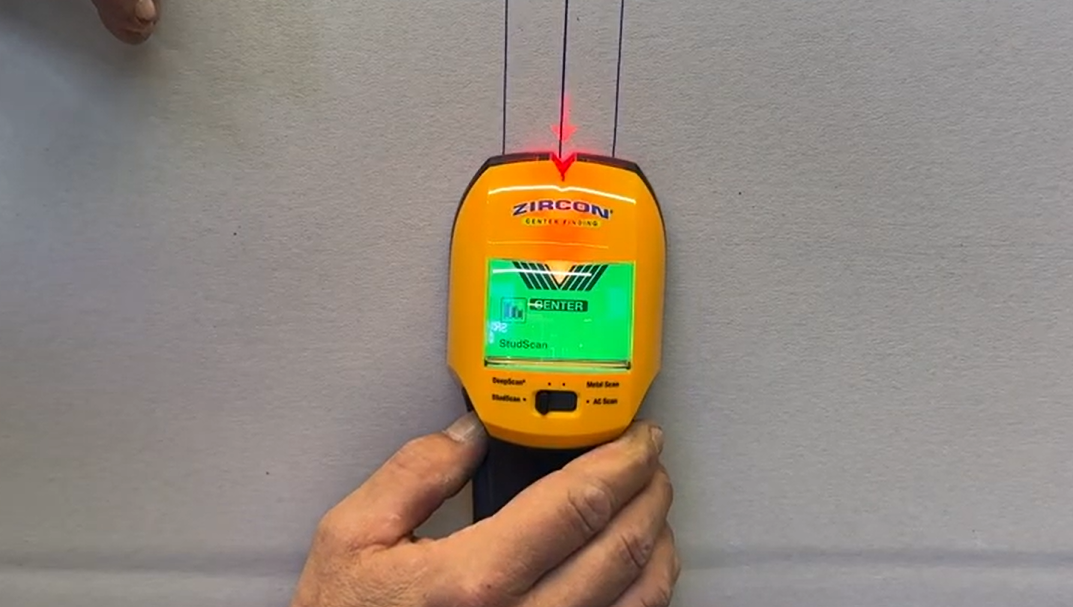
The scanner successfully detected the duct tape and pinpointed the center location dead on.

Takeaway

A clean, accurate read. The Zircon had no trouble picking up the duct tape and nailed the center marking with no offset.

Safety Test — Live Power Cord
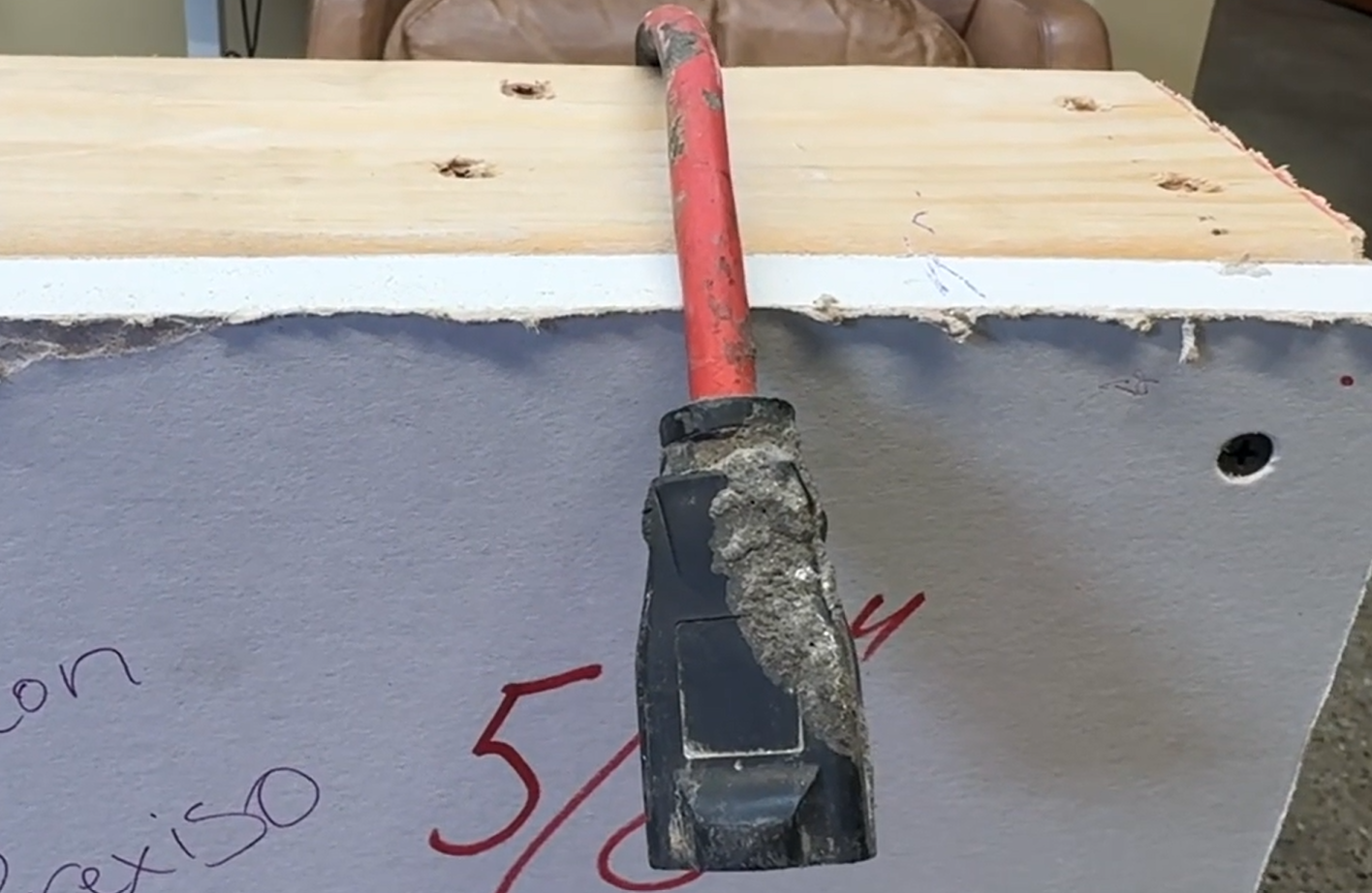
Zircon detecting live power cord

Observation

We ran the Zircon across the section of the wall where the live power cord was positioned behind the drywall.

Result

The scanner failed to detect the live power cord. No signal or alert was triggered.

Takeaway

This is the most critical miss in our testing. Failing to flag a live power cord is a significant safety concern. This is exactly the scenario a stud finder’s AC detection is designed to catch. Anyone relying solely on the Zircon to clear a wall before drilling should be aware that it may not always flag live wiring.

Overall Results

Test Target Result Notes
Metal Detection — Copper Pipe Copper pipe Failed Picked up nail heads but missed the copper pipe entirely
Metal Detection — Gas Line Gas line Failed No signal, no alert, complete miss
Gas Line Detection Gas line Partial Detected but center marked slightly to the left of actual position
Electrical Wire Detection Standard wiring (no power) Not Detected Expected — unpowered wires produce no electrical field for AC detection to read
Ducting Hose Detection Duct tape Passed Center pinpointed accurately with no offset
Safety Test — Live Power Cord Live power cord Failed No signal triggered — critical miss for a tool with AC detection


Zircon Multiscanner A250 Review Pros and Cons

✅ Pros

  • Accurately detects duct materials — Pinpointed the center of the ducting hose with no offset, one of the cleaner results from our testing

  • Picks up nail and screw heads — Useful for locating stud patterns behind lath, plaster, and stucco walls

  • 4 scan modes in one tool — StudScan, DeepScan, Metal Scan, and AC Scan cover most common wall scanning needs without switching tools

  • SpotLite® Pointer — Projects directly onto the wall surface so you can mark your spot without guesswork

  • ACT™ auto-corrects scanning errors — Reduces the most common mistake of starting a scan directly over a stud

  • Ergonomic rubber grip — Comfortable to hold at any angle for extended use

  • Limited lifetime warranty — Solid backing for a tool in this price range

❌Cons

  • Missed the live power cord — Failed to trigger any alert during the safety test, which is the most critical function of AC detection

  • Copper pipe not detected — Metal Scan mode picked up nail heads but returned nothing for the copper pipe

  • Gas line missed on first pass — No signal in Metal Scan mode; only a partial detection when retested in a different mode

  • Button must be held down while scanning — No lock-on option, which causes fatigue during longer scanning sessions

  • Inconsistent stud detection — Some users report missing studs on standard ½ in. or ⅜ in. drywall walls

  • Battery not included — Requires a fresh 9V alkaline battery for optimal performance, which adds to the out-of-pocket cost


Zircon Multiscanner A250 Vs. Other Stud Finders

Feature Zircon MultiScanner A250 Prexiso 2-in-1 JAXWQ Stud Finder Bosch GMS120-27
Price Range Mid-Range Mid-Range Budget Premium
Scanning Modes 4 2 (Stud + Laser) 5 3
Stud Detection Depth Up to 1.5 in Standard drywall Up to 1.5 in Up to 1.5 in
Metal Detection Depth Up to 3 in (ferrous) ❌ Not specified Up to 2.36 in Up to 4.7 in
AC Wire Detection ✅ Up to 2 in ✅ Up to 2 in ✅ Up to 2 in
Display LCD + SpotLite® Pointer LED indicators HD LCD Illuminated marking ring
Audio Alerts
Built-in Laser Level
Auto-Correcting Technology ✅ ACT™
IP Rating ✅ IP54
Power Source 9V battery Rechargeable Li-ion 9V battery AA batteries or Li-ion
Best For DIYers & contractors Hanging & leveling tasks Budget DIYers Professionals & contractors


vs. Prexiso 2-in-1 Stud Finder

Both tools are similarly priced, but they do different things well. The Prexiso comes with a built-in laser level, so if your project involves hanging frames or mounting shelves where alignment matters, it handles both jobs in one tool. The Zircon doesn’t have a laser, but it makes up for it with deeper wall scanning — 4 scan modes, ACT™ auto-correction, and a SpotLite® pointer for pinpoint accuracy. If you mainly need to know what’s behind the wall before drilling, the Zircon is the better scanner. If you need to scan and align at the same time, the Prexiso has the edge. Read our full Prexiso 2-in-1 Stud Finder review to see how it performed in our tests.

vs. JAXWQ Stud Finder

The JAXWQ costs less and actually offers more scan modes at 5 vs. the Zircon’s 4. For occasional, light DIY use it gets the job done. But the Zircon detects ferrous metal deeper at 3 inches vs. 2.36 inches, and it’s the only one of the two with ACT™ to automatically fix common scanning errors. If you’re watching your budget, the JAXWQ is a reasonable starter tool. If you want something more accurate and dependable for regular use, the Zircon is worth the extra cost. Read our full JAXWQ Stud Finder review to see how it held up in our tests.

vs. Bosch GMS120-27 Stud Finder

The Bosch wall scanner is the most expensive tool in this group and it shows — deeper metal detection at 4.7 inches, an IP54 rating for dust and water resistance, and a rugged build made for professional job sites. The Zircon doesn’t reach those depths and isn’t weatherproof. But it offers more scan modes (4 vs. 3), includes ACT™ which the Bosch doesn’t have, and costs significantly less. For professionals who use their tools hard every day, the Bosch is worth the investment. For most homeowners and contractors who need reliable everyday performance without the premium price, the Zircon is the practical choice. Read our full Bosch GMS120-27 review to see how it compared in our tests.


Is the Zircon Multiscanner A250 Right For You?

The Zircon MultiScanner A250 is a solid all-around wall scanner that covers the needs of most homeowners and contractors. But it’s not the perfect fit for everyone. Here’s a quick breakdown to help you decide.

The Zircon A250 is a good fit if you:

  • Are a DIYer or general contractor who regularly hangs, mounts, or drills into walls

  • Want a single tool that handles stud detection, metal scanning, and live wire detection without switching devices

  • Value accuracy-assisting features like ACT™ and the SpotLite® pointer

  • Are working with standard drywall, plaster, or stucco walls

  • Want a reliable mid-range scanner without paying a premium price

The Zircon A250 may not be the right choice if you:

  • Need a laser level alongside your electronic stud finder

  • Are on a tight budget and only need a basic scanner for occasional use

  • Work on professional job sites with demanding conditions and need deeper metal detection and a weatherproof build

  • Rely heavily on live wire detection as a primary safety measure, as our testing found the A250 missed a live power cord during the safety test


Frequently Asked Questions

What does the Zircon MultiScanner A250 detect?

The A250 detects wood and metal studs, ferrous and non-ferrous metals, and live unshielded AC wiring — all in one tool across four scanning modes.

Does the Zircon MultiScanner A250 come with a battery?

No. It requires one 9V alkaline battery (not included). Always use a fresh battery with an extended expiration date for accurate, reliable performance.

What is the difference between StudScan and DeepScan mode?

StudScan detects wall studs up to ¾ in. (19 mm) deep and works well on standard drywall. DeepScan doubles that to 1½ in. (38 mm), making it better suited for thicker or older walls.

Can the Zircon A250 detect live electrical wires?

Yes, but with limitations. It can detect live unshielded wires up to 2 in. (50 mm) deep. It will not detect wires that are shielded, encased in conduit, or buried deeper than 2 inches.

Why is my Zircon A250 giving inaccurate readings?

The most common causes are a weak battery, starting the scan directly over a stud, or not holding the tool flat against the wall during calibration. Replace the battery, move a few inches to the side, and recalibrate before scanning again.

Is the Zircon MultiScanner A250 good for beginners?

Yes. The ACT™ auto-correcting technology helps reduce common user errors, and the SpotLite® pointer makes it easy to mark your target without guesswork — making it approachable for first-time users.


Zircon Multiscanner A250 Review: Is It Worth It?

The Zircon MultiScanner A250 is a capable mid-range wall scanner that gets a lot of things right. The four scanning modes, ACT™ auto-correction, and SpotLite® pointer make it one of the more user-friendly options in its price range and for standard everyday tasks like hanging shelves, mounting a TV, or locating studs before drilling, it holds up well.

That said, our testing revealed some gaps that are hard to overlook. Missing the copper pipe in Metal Scan mode, failing to detect the live power cord during the safety test, and delivering inconsistent results on the gas line raise real questions about how much you can rely on it beyond basic stud detection. These aren’t minor misses — live wire detection is one of the main reasons people buy a tool like this in the first place.

If your work stays within standard drywall and you primarily need a reliable stud finder with some added scanning capability, the Zircon A250 delivers solid value at a fair price. But if you’re working in more complex environments or need to depend on it for safety-critical detection, you may want to consider stepping up to a more specialized tool.

For anyone narrowing down their search for the best stud finders without going over budget, the Zircon A250 is a reasonable contender. Just don’t rely on it alone when live wiring is a concern.


Want to see how the Zircon Multiscanner stacks up against other top-rated options? Check out our in-depth review of the best stud finders in 2026 where we tested 4 top picks on the same mock wall setup for a full side-by-side breakdown.


Tria Regina David

Tria David is a content writer, SEO specialist, and digital strategist dedicated to helping shoppers make informed, confident decisions. She creates research-driven buying guides, product comparisons, and practical resources that simplify complex information and provide real value to readers. With experience across diverse industries — including legal, technology, home improvement, health and more — Tria combines data-backed SEO strategy with a reader-first approach, so her content not only ranks well but truly helps consumers navigate their choices.